Dashboard Overview
Objective
Gain a comprehensive view of your cloud resources, security posture, and agent activities.
Once logged in, you will see the Dashboard Overview. This is your central hub for managing your cloud workforce.
Prerequisite: The dashboard will appear empty until you connect a cloud account. Please complete the Account Onboarding step first.
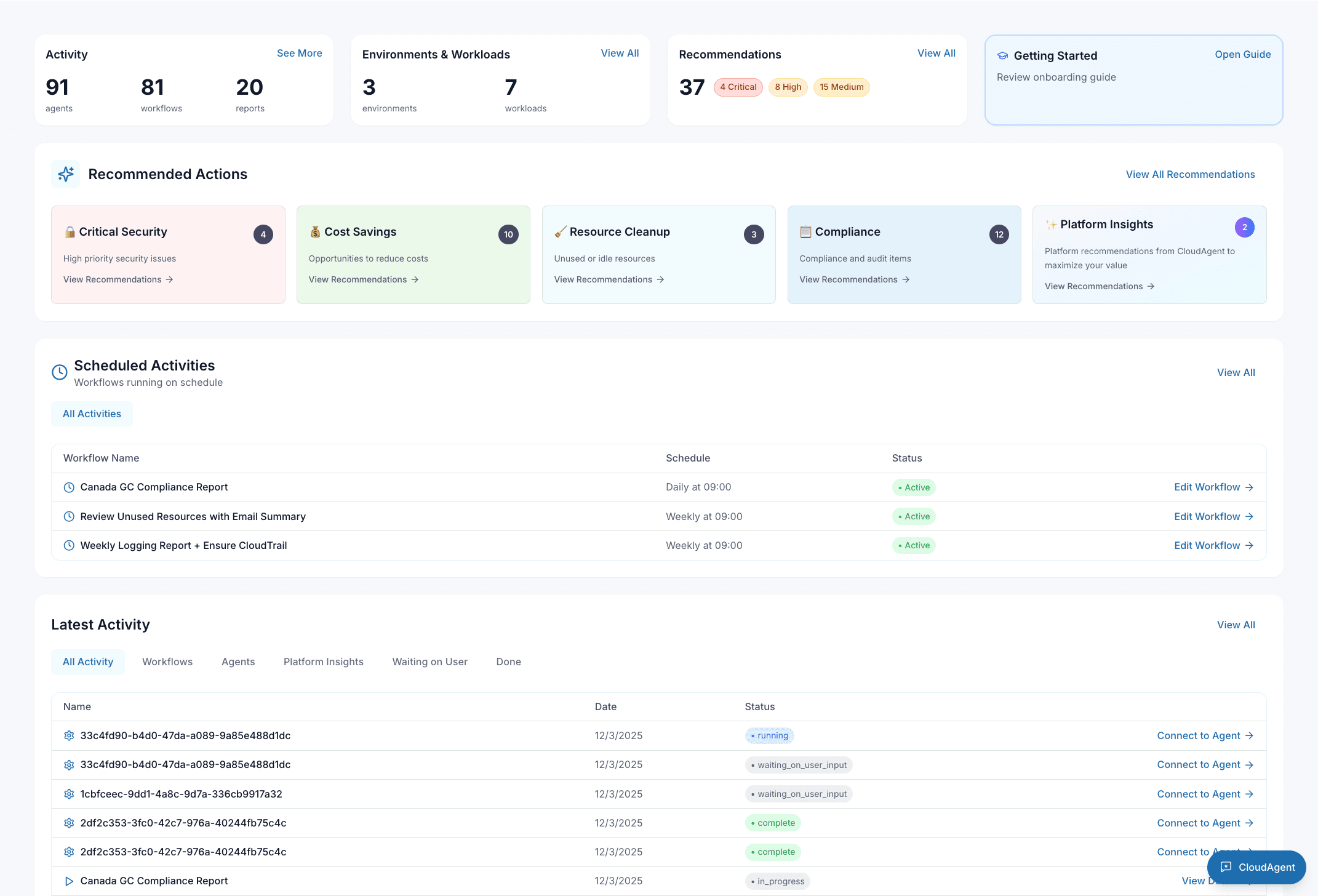
Key Features
1. Stats Overview
At the top of the dashboard, you'll find a quick summary of your environment:
- Activity: Total count of active agents, workflows, and generated reports.
- Environments & Workloads: Number of connected AWS accounts and managed workloads.
- Recommendations: Active recommendations categorized by priority (Critical, High, Medium, Low).
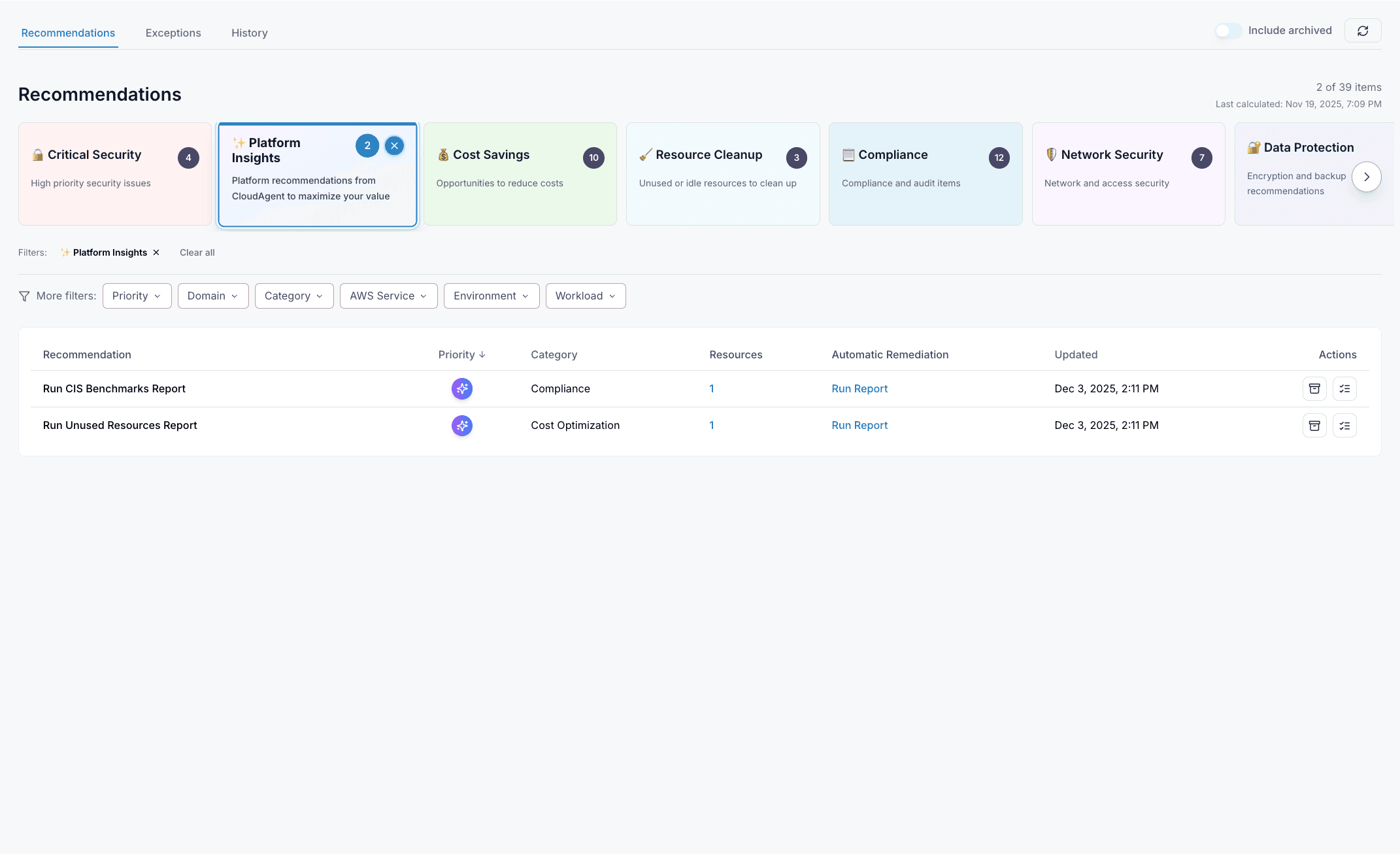
2. Smart Recommendations
The dashboard automatically categorizes findings into actionable groups:
- Critical Security: High-priority security issues that need immediate attention.
- Cost Savings: Opportunities to reduce your cloud spend.
- Resource Cleanup: Identification of unused or idle resources.
- Compliance: Audit items mapped to frameworks like SOC 2 and HIPAA.
- Platform Insights: Suggestions to maximize the value of CloudAgent.
3. Scheduled Workflows
View and manage your automated tasks:
- Active: Workflows currently running on a schedule (e.g., daily backups).
- Paused: Scheduled tasks that have been temporarily disabled.
- All Activities: A complete list of all scheduled operations.
4. Latest Activity
A real-time feed of what your agents are doing:
- Agents: Status updates from individual agents.
- Workflows: Progress of complex, multi-step workflows.
- Waiting on User: Tasks that require your approval to proceed.
- Done: Completed actions and their results.
5. Reports
CloudAgent creates detailed security reports for your cloud account, including cost and compliance reports (such as SOC 2 and HIPAA).
Get the full list of available reports at cloudagent.io/libraries/all-reports (opens in a new tab).
Key Sections
- Overview: A summary of your cloud resources and agent activity.
- Cloud Setup & Workloads: Manage your cloud infrastructure connections.
- Recommendations: AI-driven suggestions for optimizing your cloud environment.
- My Workflows: View and manage your automated workflows.
- Blueprints & Agents: Create and manage infrastructure blueprints.
- Reports: Generate and view compliance reports.
- My Account: Manage your profile and settings.