Reports
Objective
Generate and review compliance reports to assess your cloud security posture against industry frameworks.
CloudAgent provides detailed security and compliance reports that help you understand your environment's adherence to best practices and regulatory requirements.
Accessing Reports
Reports can be accessed from multiple locations:
- Dashboard: Quick access via the Reports widget
- Workload Details: Reports specific to a workload in the Reports section
- Reports Page: Navigate to Reports in the sidebar for the full report library
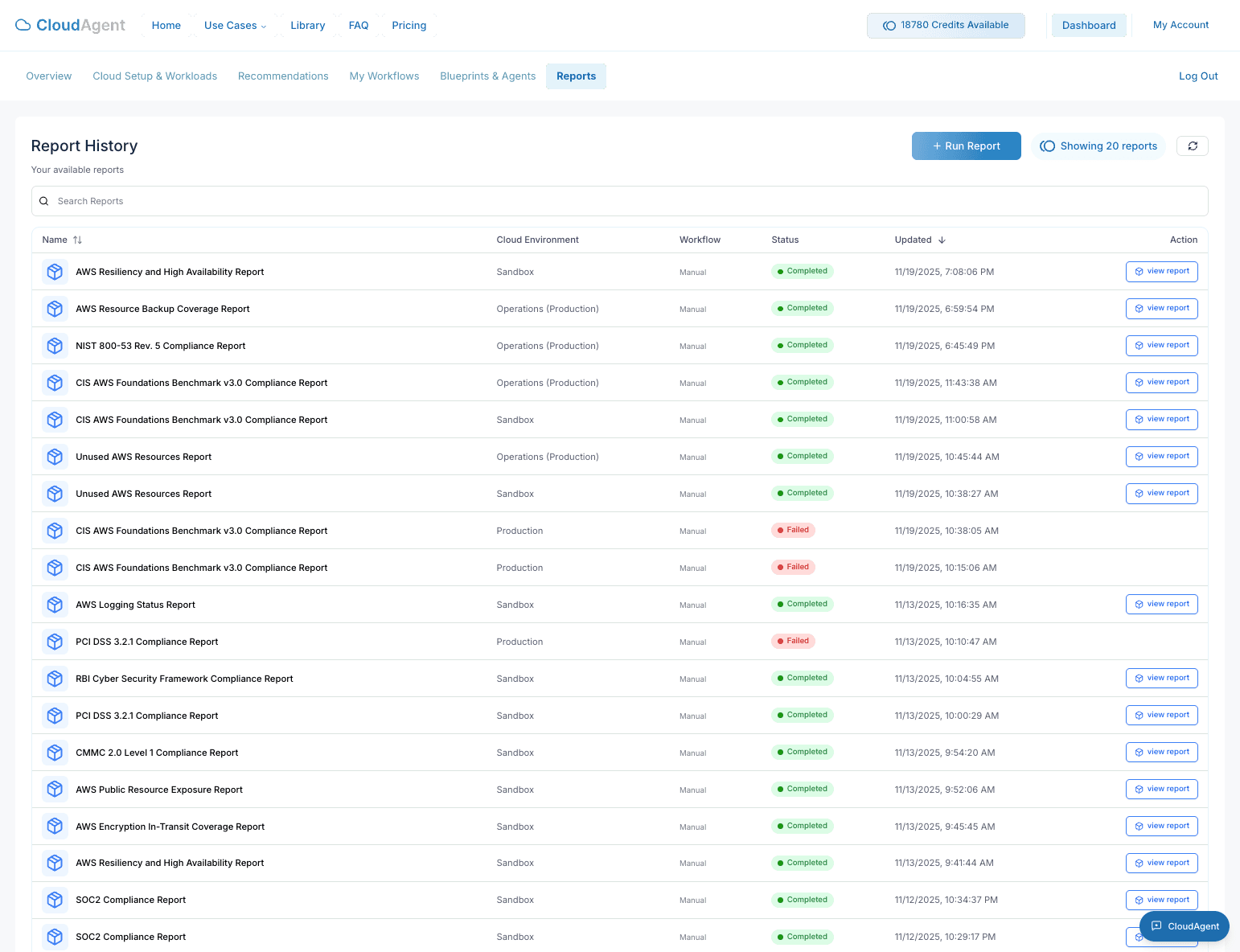
Available Reports
CloudAgent offers a comprehensive library of compliance and security reports:
| Report | Category | Description |
|---|---|---|
| SOC2 Compliance Report | Security & Governance | Assesses environments against SOC2 categories like logical access, system operations, and confidentiality |
| PCI DSS 3.2.1 Compliance Report | Security & Governance | Evaluates Payment Card Industry Data Security Standard requirements |
| HIPAA Compliance Report | Security & Governance | Checks AWS configurations for HIPAA compliance across access, auditing, and encryption |
| CIS AWS Foundations Benchmark v3.0 | Security & Governance | Evaluates AWS configuration against Center for Internet Security benchmarks |
| NIST 800-53 v5 Compliance Report | Security & Governance | Assesses against NIST security and privacy controls |
| NIST 800-171 Compliance Report | Security & Governance | Validates controlled unclassified information (CUI) protection |
| NIST Cybersecurity Framework (CSF) Report | Security & Governance | Evaluates against the NIST CSF framework |
| ISO 27001 Annex A Compliance Report | Security & Governance | Checks against ISO 27001 information security controls |
| GDPR Compliance Report | Security & Governance | Reviews AWS practices against GDPR Articles 25, 30, and 32 |
| FedRAMP Low Compliance Report | Security & Governance | Validates AWS services against FedRAMP Low controls |
| FedRAMP Moderate Compliance Report | Security & Governance | Assesses environments for FedRAMP Moderate control coverage |
| Canada GC Compliance Report | Security & Governance | Evaluates against Canadian Guardrail controls for access, monitoring, and encryption |
| CMMC 2.0 Level 1 Compliance Report | Security & Governance | Checks basic safeguarding controls including access, authentication, and boundary protection |
| CMMC 2.0 Level 2 Compliance Report | Security & Governance | Evaluates advanced CMMC Level 2 controls across identity, configuration, and secure communications |
| RBI Cyber Security Framework Report | Security & Governance | Assesses against Reserve Bank of India cybersecurity guidelines |
| AWS Resiliency and High Availability Report | Resilience & Backup | Checks multi-AZ deployments, delete protection, and backup configurations |
| AWS Resource Backup Coverage Report | Resilience & Backup | Validates backup policies and coverage across resources |
| Unused AWS Resources Report | Cost & Billing | Identifies idle or unused resources for cost optimization |
| AWS Logging Status Report | Logging & Monitoring | Verifies CloudTrail, VPC Flow Logs, and other logging configurations |
| AWS Public Resource Exposure Report | Security & Governance | Scans for publicly accessible resources |
| AWS Encryption In-Transit Coverage Report | Security & Governance | Validates TLS/SSL configurations and encryption in transit |
For the complete and up-to-date list, visit cloudagent.io/libraries/all-reports (opens in a new tab).
Report Status
Each report displays a status indicator:
| Status | Meaning |
|---|---|
| Passed | All checks passed successfully |
| Warning | Some non-critical findings require attention |
| Failed | Findings that need remediation |
| Running | Report generation in progress |
Running a New Report
- Navigate to the Reports page or workload details.
- Click + Run New Report.
- Select the report type from the available options.
- Choose the target environment(s).
- Click Generate to start the report.
Processing Time: Reports typically complete within 5-15 minutes depending on the size of your environment.
Viewing Report Details
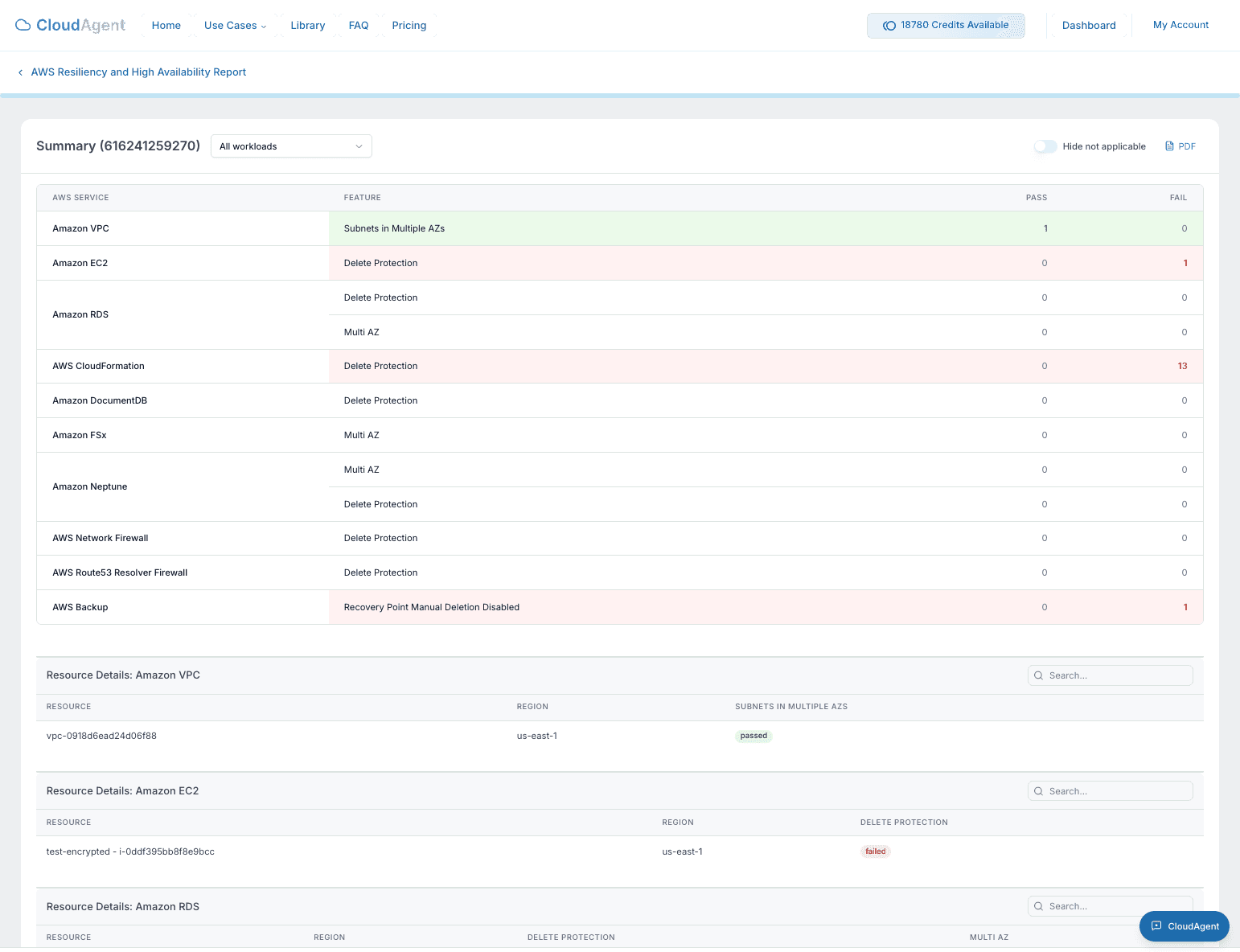
Click View Report on any completed report to see:
- Executive Summary: High-level overview of findings
- Detailed Findings: Individual check results with pass/fail status
- Affected Resources: Specific resources that need attention
- Remediation Steps: Recommended actions to resolve issues
- Export Options: Download as PDF for sharing with auditors
Scheduling Reports
To run reports on a recurring schedule, create a workflow:
- Navigate to My Workflows.
- Click + Create Workflow.
- Select the report you want to schedule (e.g., "Canada GC Compliance Report").
- Configure the schedule (Daily, Weekly, Monthly).
- Save the workflow.
The report will run automatically at the scheduled time.
Notifications: Configure email alerts in the workflow to receive reports automatically when they complete.
Report History
All generated reports are stored in your report history:
- View past reports to track compliance trends
- Compare results over time
- Export historical data for audits