Managing Workloads
Objective
View, manage, and optimize your deployed applications and infrastructure stacks.
The Cloud Setup & Workloads section allows you to view and manage your cloud infrastructure and applications.
Viewing Workloads
To view your workloads:
- Navigate to Cloud Setup & Workloads in the sidebar.
- You will see a list of all connected cloud environments and deployed workloads.
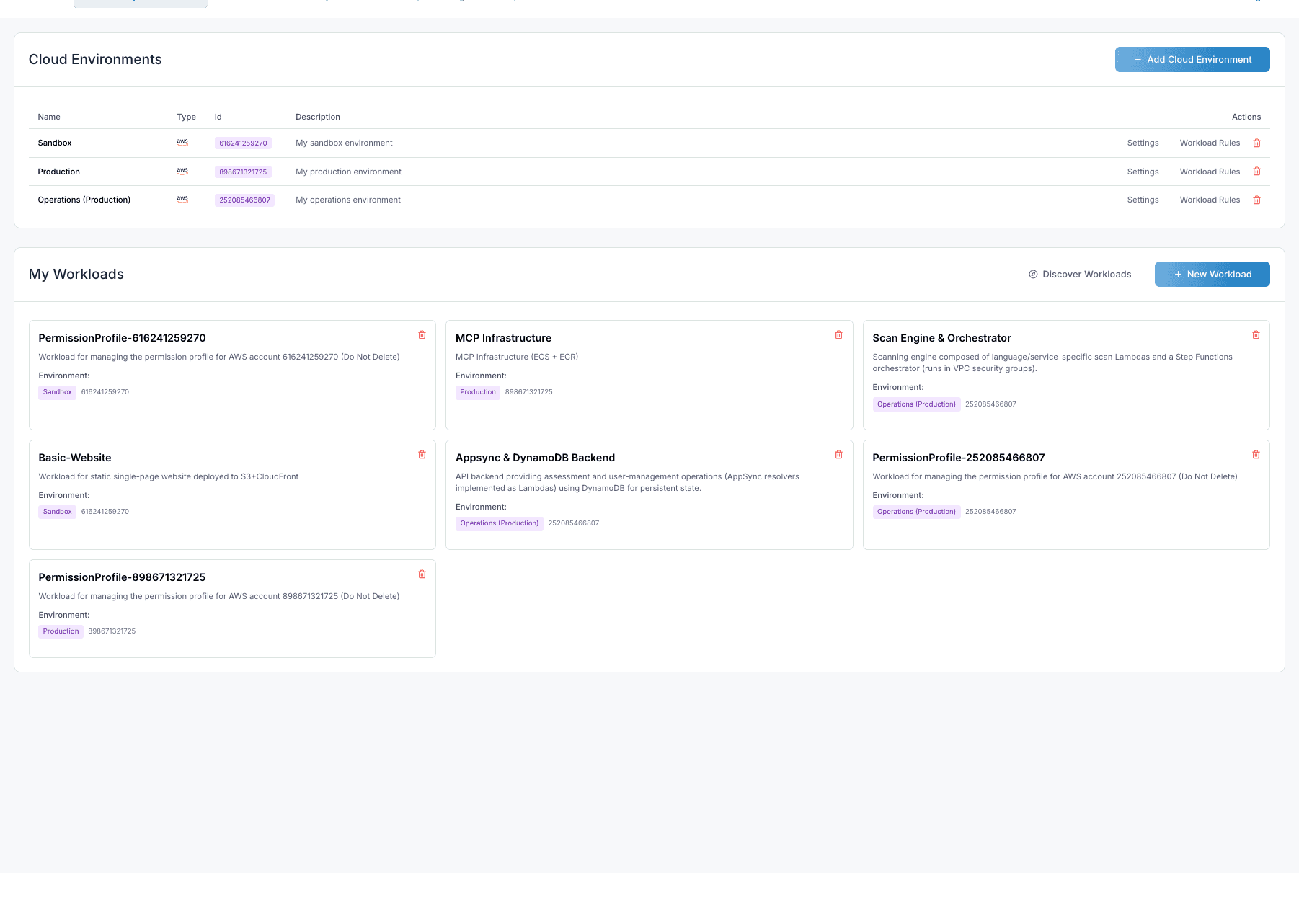
Workload Details
Click on any workload in the list to view its details. The details view provides comprehensive information about the workload's status, resources, and configuration.
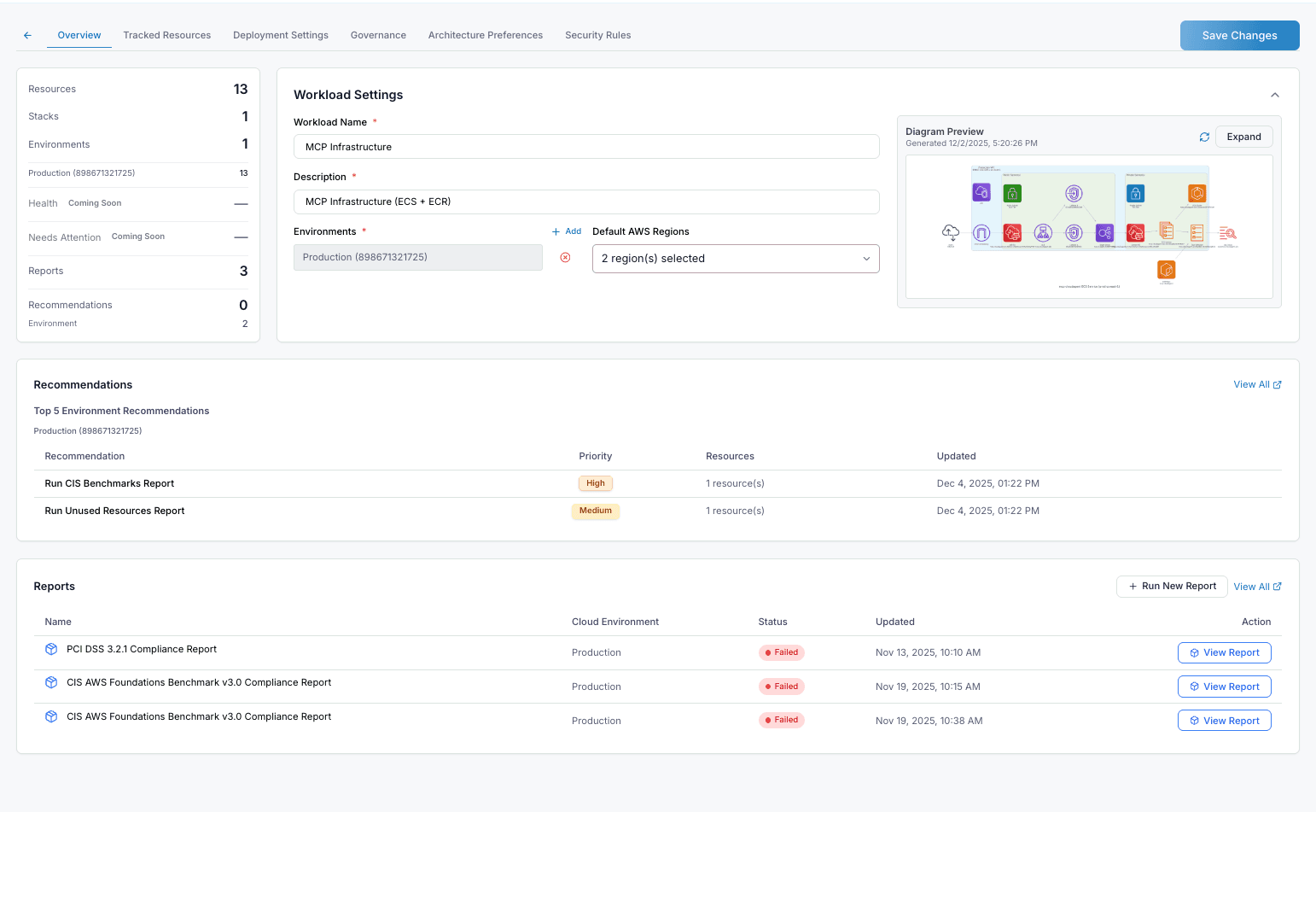
Key Tabs
- Overview: General information about the workload, including the Diagram Preview.
- Tracked Resources: A list of all cloud resources (e.g., S3 buckets, IAM roles, CloudFormation stacks) associated with this workload.
- Deployment Settings: Configuration options for how the workload is deployed.
- Governance: Policies and rules applied to the workload.
- Architecture Preferences: Settings related to the architectural design of the workload.
- Security Rules: Security configurations and firewall rules.
Diagram Preview
The Diagram Preview panel provides a visual representation of your workload's architecture. It displays all the AWS resources and their relationships in an easy-to-understand diagram.
- Auto-Generated: The diagram is automatically generated based on tracked resources.
- Expandable View: Click the Expand button to open a full-screen view for detailed inspection.
- Resource Icons: Each AWS service (Lambda, S3, DynamoDB, etc.) is represented with its official icon.
- Timestamps: Shows when the diagram was last generated.
Tip: Use the expanded diagram view during architecture reviews or when onboarding new team members to quickly understand the infrastructure layout.
Recommendations and Reports
The workload details page also includes:
- Top 5 Environment Recommendations: Priority-ranked suggestions specific to this workload's environment.
- Reports: Compliance reports (PCI DSS, CIS Benchmarks) with status indicators and quick access to view details.