Recommendations
Objective
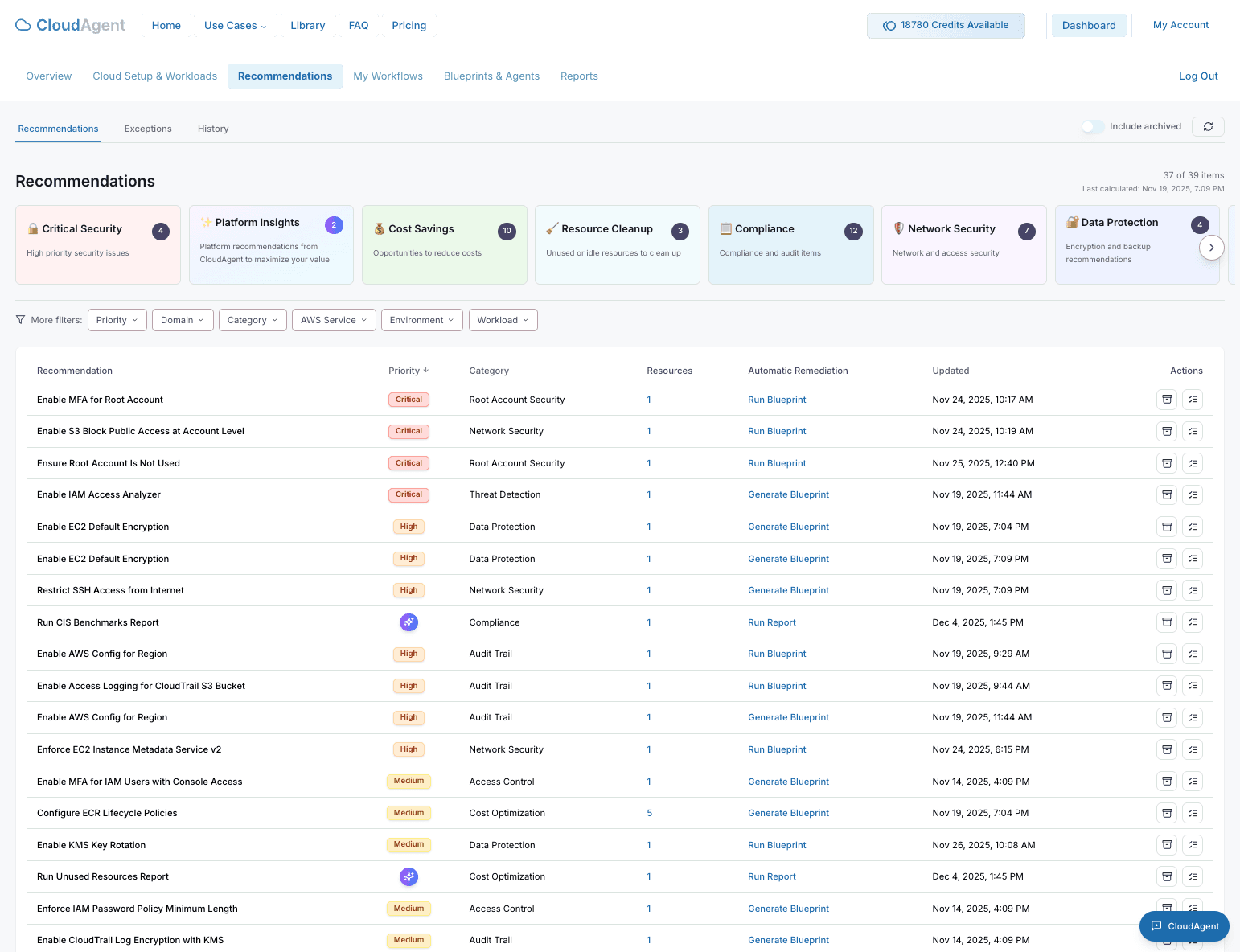
Review and act on AI-powered recommendations to improve security, reduce costs, and optimize your cloud infrastructure.
The Recommendations page provides a centralized view of all findings and suggestions across your connected cloud environments.
Accessing Recommendations
- Navigate to Recommendations in the sidebar.
- You will see a comprehensive list of all recommendations organized by category and priority.
Quick Access: You can also access category-specific recommendations directly from the Dashboard's Smart Recommendations widget.
Recommendation Categories
CloudAgent organizes recommendations into actionable categories:
Critical Security
High-priority security issues that require immediate attention:
- Public S3 buckets
- Overly permissive IAM policies
- Unencrypted data stores
- Security group misconfigurations
Cost Savings
Opportunities to reduce your cloud spend:
- Idle or underutilized resources
- Reserved instance recommendations
- Right-sizing suggestions
- Orphaned resources (unattached EBS volumes, unused Elastic IPs)
Resource Cleanup
Identification of resources that can be removed:
- Unused security groups
- Stale snapshots
- Abandoned load balancers
- Empty S3 buckets
Compliance
Audit items mapped to industry frameworks:
- SOC 2 requirements
- HIPAA controls
- CIS Benchmark findings
- PCI DSS compliance gaps
Platform Insights
Suggestions to maximize your use of CloudAgent:
- Incomplete workload configurations
- Untracked resources
- Missing environment labels
Recommendation Details
Each recommendation includes:
| Field | Description |
|---|---|
| Priority | Severity level (Critical, High, Medium, Low) |
| Resources | Number of affected resources |
| Environment | Which cloud environment contains the finding |
| Updated | When the recommendation was last refreshed |
Taking Action
For each recommendation, you can:
- View Details: Click to see the specific resources affected.
- Remediate: Generate a blueprint to fix the issue automatically.
- Dismiss: Mark as acknowledged if the finding is a known exception.
- Create Workflow: Set up automated remediation for recurring issues.
Tip: Address Critical and High priority recommendations within 24-48 hours to maintain a strong security posture.
Filtering and Search
Use the filtering options to focus on specific findings:
- By Priority: Show only Critical, High, Medium, or Low items
- By Category: Filter by Security, Cost, Cleanup, or Compliance
- By Environment: Focus on a specific AWS account
- By Workload: View recommendations for a particular workload