Account Onboarding
Objective
Connect your AWS accounts to CloudAgent to enable monitoring, management, and automated actions.
⚠️
Important: You must onboard at least one cloud account to see any data in the Dashboard, receive recommendations, or use the Blueprint Builder.
CloudAgent makes it easy to connect your cloud environments and start managing your workloads.
Adding a Cloud Environment
- Navigate to Cloud Setup & Workloads in the sidebar.
- Click on Add Cloud Environment.
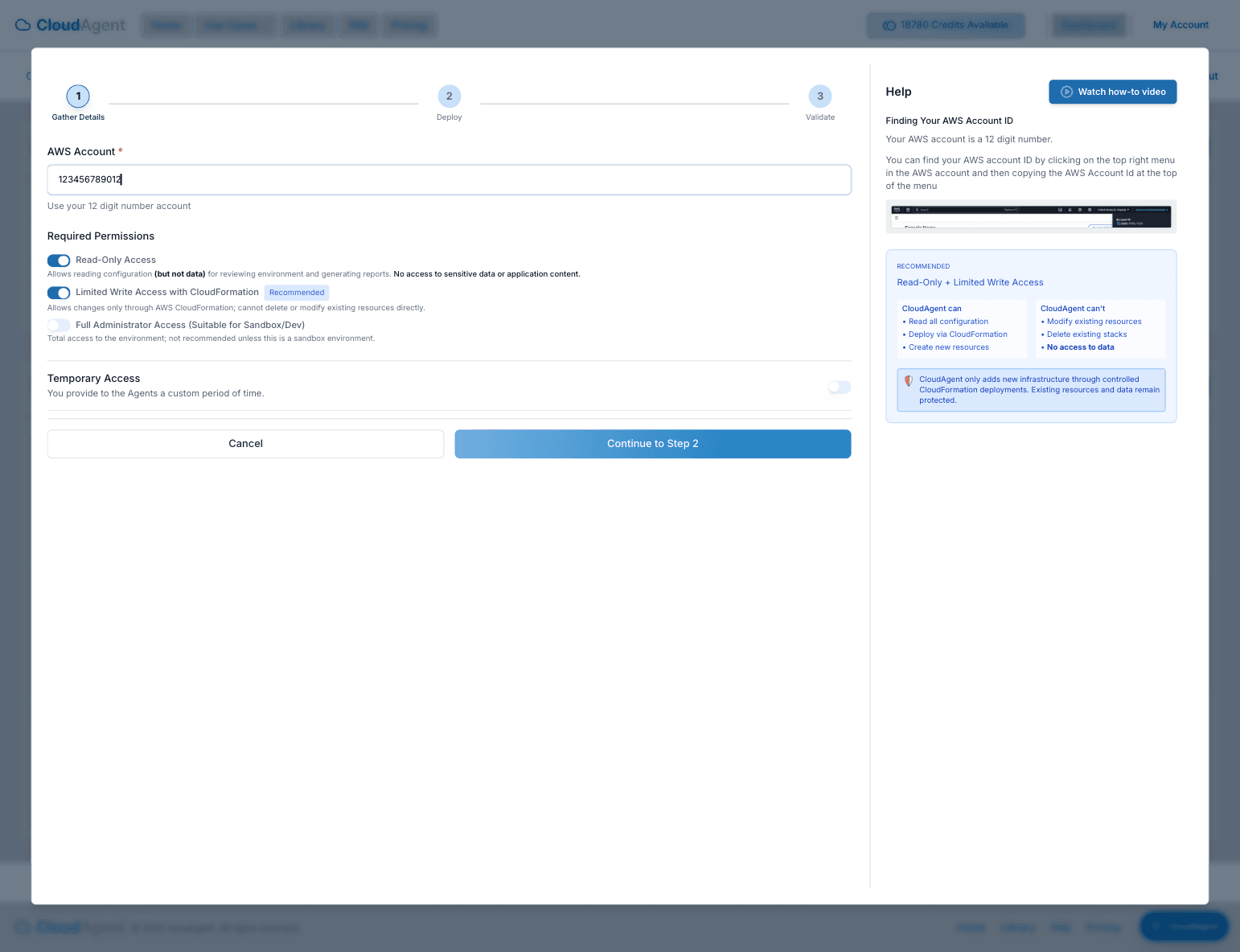
- Step 1: Gather Details: Enter your AWS Account ID and select the desired permission level (e.g., Read-Only, Limited Write, Full Admin).
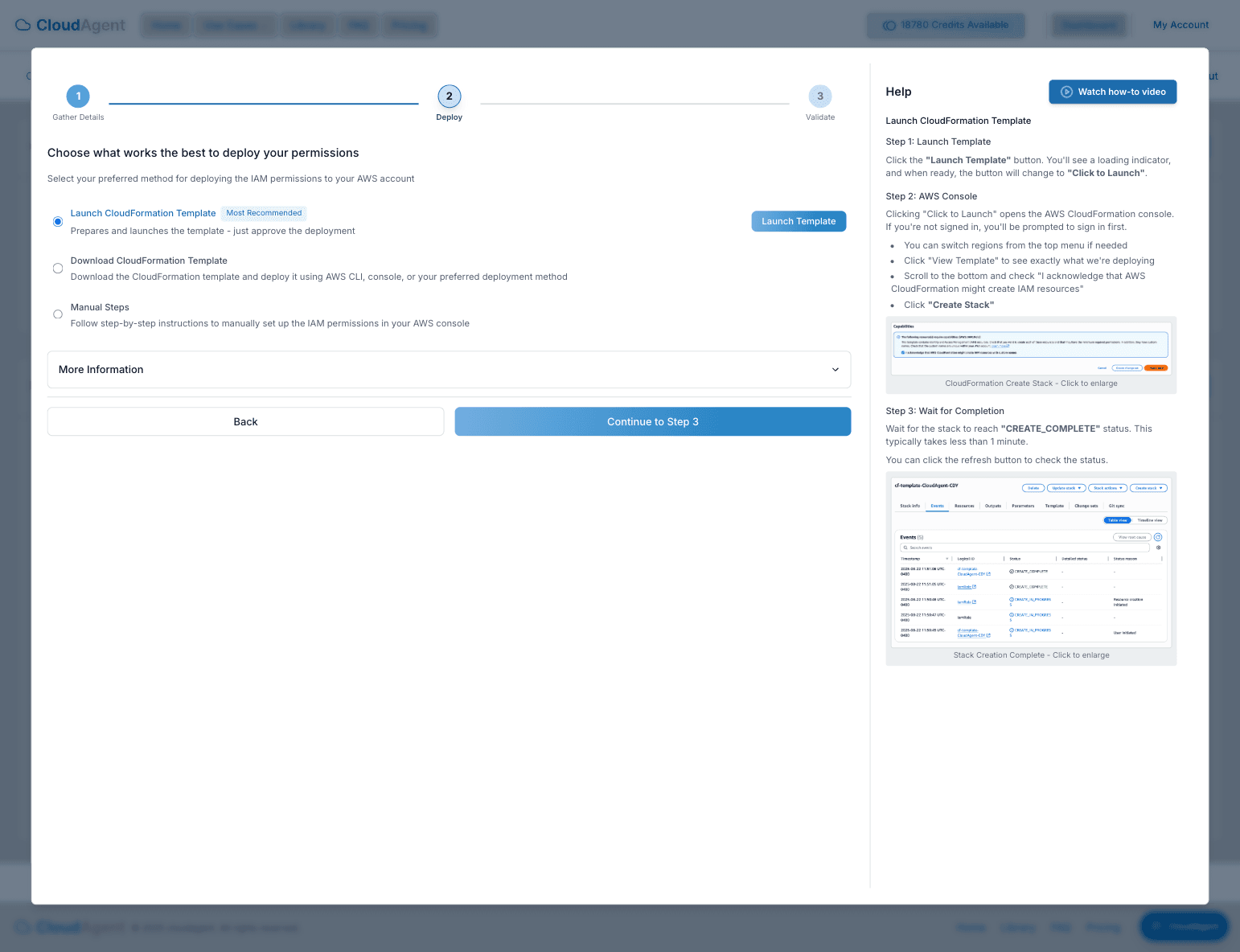
- Step 2: Deploy: Choose your preferred deployment method. You can launch the CloudFormation stack directly or download the template to deploy manually.
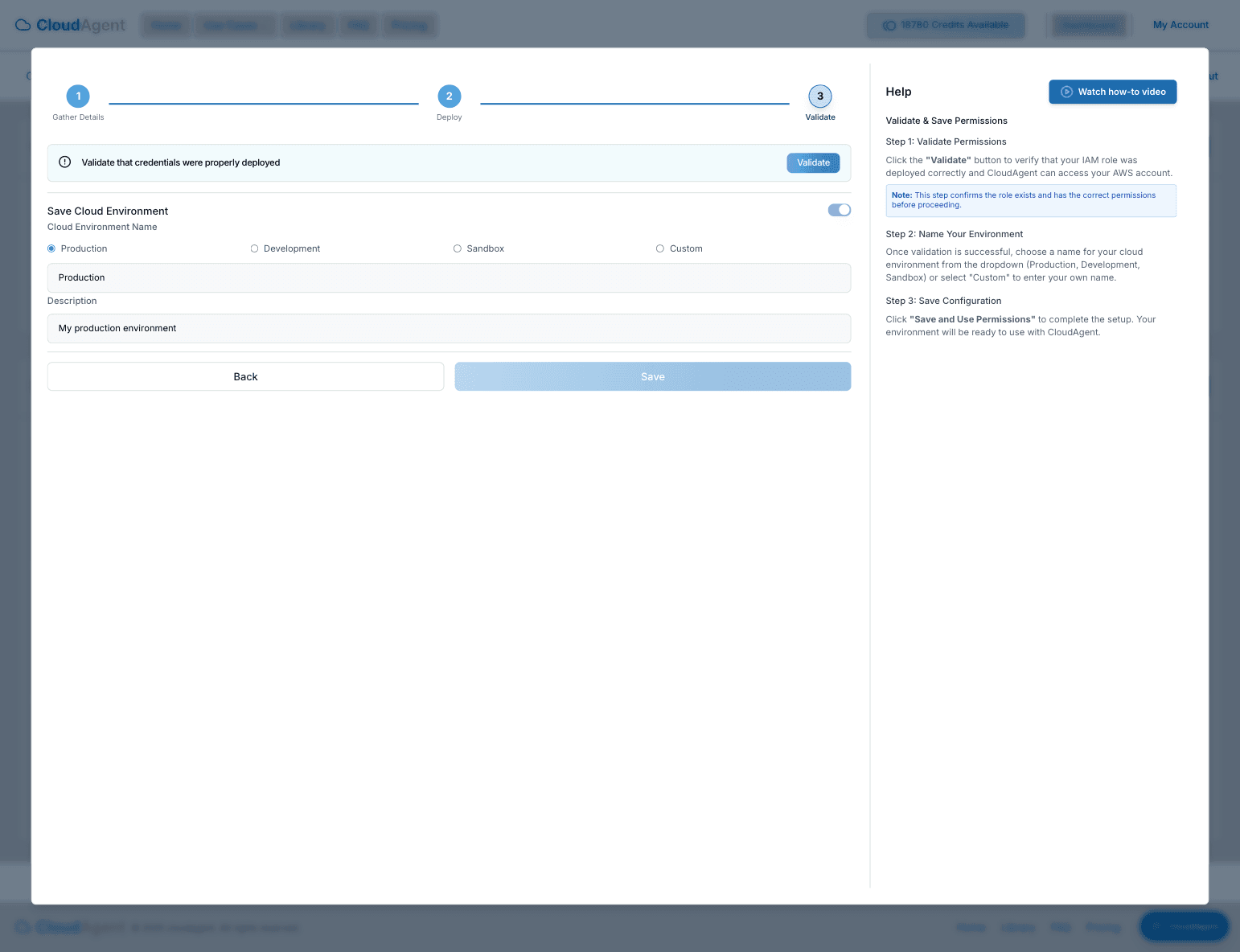
- Step 3: Validate: Once deployed, validate the IAM role connection and give your environment a name.